
QuickBooks Online Review Australia 2026
Budget Pick — Best Value for Simple Accounting
QuickBooks Online remains the cheapest major AU cloud ledger on unlimited invoices: Simple Start $33/mo standard versus Xero Ignite $37 with a 20-invoice cap. Essentials is now $60 and Plus $84. Accountant access is included on every plan. Data is hosted in the United States. Payroll is an add-on.
- Best for
- Budget-conscious sole traders and small businesses that want solid accounting with Australian compliance features.
- Not ideal for
- Businesses that need Australian data residency, or employers who want payroll in the base price.
Some links to QuickBooks Online may be affiliate links. If you buy or sign up, SoftwareHQ may earn a commission at no extra cost to you. That does not change this editorial score. Affiliate disclosure
Overview
QuickBooks Online is affordable cloud accounting from intuit with strong global reach. Founded in 1983 and headquartered in Mountain View, CA, USA, it serves Australian businesses.
Feature highlights
These highlights come from vendor documentation and editorial analysis of public sources. They are not firsthand test results or a claim that every listed capability was exercised in a trial.
- Lowest Entry Price of Major Platforms
QuickBooks Simple Start at $33/mo offers unlimited invoices, bank reconciliation, and GST tracking — undercutting Xero Ignite ($37/mo from 1 July 2026, 20-invoice cap). Public AU cards on 11 Sep 2026 printed 70% off for 6 months; that is promotional, not ongoing, and the same-page legal body conflicts on duration.
- Direct BAS Lodgement (Often Overlooked)
QuickBooks supports direct electronic BAS lodgement to the ATO via SBR — a fact many Australian comparison sites incorrectly report as 'export only.' You can prepare and e-lodge your BAS from within QuickBooks without leaving the app.
- Phone Support in Australia
QuickBooks offers phone support at 1800 046 038, Mon-Fri 8am-6:30pm AEST, with Australian-based agents. Combined with live chat, this gives QuickBooks stronger support accessibility than Xero (which has no phone support).
- Advanced Payroll with Modern Awards
The Advanced Payroll add-on (powered by Employment Hero) provides full automated Modern Award interpretation — including penalty rates, overtime, allowances, and automatic rate changes based on employee age and tenure. AU payroll page: Advanced $10/mo + $6 per active employee; Standard is $0/mo + $6. Not in base plans.
- Open Banking Rollout
QuickBooks is actively rolling out Open Banking (Consumer Data Right) bank feeds in Australia. CBA and NAB are live, with Westpac and ANZ following. Once complete, this will give QuickBooks access to 99%+ of Australian banks for automatic bank feeds.
- 30-Day Free Trial
QuickBooks offers a 30-day free trial of QuickBooks Online and Payroll (offer terms: any number of employees during the trial). After the trial a card is required. Intro discounts on the pricing page are promotional and currently conflict on duration — do not treat them as the ongoing price.
AU Compliance Scores
These scores apply to Australian tax, payroll and banking capabilities where they are relevant to QuickBooks Online. They are SoftwareHQ editorial judgements from public documentation, not firsthand product tests.
Not applicable means this product type is not scored on that dimension (for example BAS lodgement on a CRM). Not supported means the vendor does not offer it. Unknown means we could not verify it from public sources — that is not the same as unsupported.
AU pricing comparison lists GST tracking & e-lodge BAS on Simple Start through Advanced. Setup guide describes connecting to the ATO to lodge BAS from QuickBooks.
QuickBooks was an early adopter of STP Phase 2, implementing compliance in February 2022. All payroll runs are reported to the ATO automatically.
The AU payroll page observed 11 Sep 2026 prints Payday Super ready — powered by Employment Hero, as vendor copy. That is not an independent ATO certification. Beam/HeroClear remains the described super path.
Advanced Payroll (powered by Employment Hero) includes full automated Modern Award interpretation — penalty rates, overtime rules, allowances, and automatic age/anniversary-based rate progressions. Available as add-on only, not in base plans.
Automatic GST calculation on all transactions with full BAS mapping. Supports all standard GST categories and generates GST-ready BAS reports.
All Big 4 banks (CBA, NAB, Westpac, ANZ) supported. QuickBooks is actively rolling out Open Banking (CDR) feeds, which will give access to 99%+ of Australian banks. Coverage is expanding rapidly beyond Big 4.
When this was checked
Status as of (page snapshot) against a 90-day review target. Checked dates are not updated when the site is rebuilt.
Editorial article date: . That is not proof that pricing, hosting, or compliance was re-checked.
- PricingVerified
Verified — checked 8 September 2026.
AUD. Standard Simple Start $33, Essentials $60, Plus $84, Advanced $125. Accountant access on every plan. Public-workflow observation on 11 Sep 2026 confirmed those struck-through figures and the Important pricing details line All prices are in AUD and include GST. Cards advertise 70% off 6 months; the same modal body says 3 months and lists 50% off 12 months — left unresolved (checkout not started).
Effective from 1 August 2026.
- HostingVerified
Verified — checked 8 September 2026.
Intuit Inc. hosts QBO in the United States; CDR data in AWS US region. Not AU-hosted.
- Bank feedsVerified
Verified — checked 8 September 2026.
Automated bank feeds listed. Institution count not re-audited.
- BAS lodgementVerified
Verified — checked 8 September 2026.
Feature grid: GST tracking & e-lodge BAS on Simple Start through Advanced.
- GST handlingVerified
Verified — checked 8 September 2026.
GST tracking listed with e-lodge BAS.
- Modern AwardsUnknown
Unknown — no field-level check recorded.
Advanced Payroll / Employment Hero not re-priced or re-specced this check.
- Payday SuperUnknown
Unknown — no field-level check recorded.
No explicit AU Payday Super commitment on the pages opened this check.
- STP Phase 2Unknown
Unknown — no field-level check recorded.
Payroll is an add-on; STP claims not re-opened on a payroll product page this check.
- SuperannuationUnknown
Unknown — no field-level check recorded.
Super sits with payroll add-on; not re-verified this check.
Pricing (AUD)
All prices below are in Australian dollars and include GST. Verified — checked 8 September 2026. Source: quickbooks.intuit.com/pricing.
- Invoices: unlimited
- Bills: basic
- Bank Reconciliation: Yes
- Users: 1
- Accountant Access: Yes
- Invoices: unlimited
- Bills: unlimited
- Bank Reconciliation: Yes
- Users: 3
- Accountant Access: Yes
- Multi Currency: Yes
- Invoices: unlimited
- Bills: unlimited
- Bank Reconciliation: Yes
- Inventory: Yes
- Users: 5
- Accountant Access: Yes
- Invoices: unlimited
- Users: 25
- Accountant Access: Yes
Estimate first-year cost for QuickBooks Online
Observed price changes
Recorded when a listed price changed. This is not a complete vendor timeline.
- AU pricing page 9 Sep 2026 lists Essentials $60, Plus $84, Advanced $125 standard (Simple Start unchanged at $33). Aligns with Intuit's Aug 2026 Essentials/Plus/Advanced increase; Simple Start unchanged.
- Plus · $77 → $84 · AU standard Plus $77 to $84
- Essentials · $55 → $60 · AU standard Essentials $55 to $60 (Simple Start unchanged at $33)
- Essentials · $25 → $27.50 · Essentials increased from $25 to $27.50 in same annual cycle
- Simple Start · $15 → $16.50 · AU pricing adjusted upward across all tiers — Simple Start rose from $15 to $16.50
- All plans increased — Simple Start from ~$22 to $33, Essentials from ~$37 to $55, Plus from ~$52 to $77. New subscriptions from 7 Aug 2024, existing from 23 Oct 2024.
- Simple Start · $12 → $15 · Intuit introduced AU-specific pricing for the first time — plans set below Xero to compete
Pros & Cons
Pros
- Simple Start $33/mo with unlimited invoices and included accountant access (vs Xero Ignite $37 with 20 invoices)
- GST tracking and e-lodge BAS listed on all AU plans
- Phone support 1800 046 038, Monday to Friday 8:30am–6:30pm (AU pricing page)
- 1 / 3 / 5 / 25 users plus accountant across Simple Start / Essentials / Plus / Advanced
- Automated bank feeds listed on AU plans
- 30-day trial; no lock-in on monthly billing
Cons
- QBO ledgers hosted in the United States (Intuit Inc. / AWS US) — not AU data sovereignty
- Payroll is an add-on on every plan
- 70% intro pricing is easy to confuse with the $33/$60/$84/$125 ongoing rates; cards say 6 months while offer-terms body says 3 months, and the same modal lists 50% off 12 months — checkout was not started
- Bank-feed institution count still not as documented as Xero/MYOB
- Payday Super readiness still not independently verified; the AU payroll page prints Payday Super ready as vendor copy
- Public cancel path is a phone number (1800 350 468); the same cancel URL later opened a QuickBooks Time article
How this review was made
Reviews separate vendor documentation, editorial analysis and firsthand records. They are not interchangeable.
- Vendor documentation — Public pages from QuickBooks Online and other sites. Recorded HTTP(S) URLs are listed under Sources. A source URL is a document we recorded, not a claim that every sentence on this page was checked against that URL.
- Editorial analysis — SoftwareHQ's written verdict and scores for Australian buyers. The header score is an editorial assessment, not a user-review average, not a lab result, and not a number derived from how many evidence records exist.
- Firsthand records — This review includes public-website observations with steps, outcomes and artifacts. That is not paid-app testing, not a logged-in SoftwareHQ account, and not a claim about every workflow in the product.
- Original analysis — Original calculations on this page list exact source prices, assumptions and the formula. They apply only to those inputs.
This page does not rank products by speed or security from documentation or from evidence count.
Checked by SoftwareHQ Editorial Team. There is no named author profile for this page; attribution stays with the SoftwareHQ editorial team. How we test and the editorial policy for scoring, independence and affiliate rules.
What we inspected
These records are firsthand test and original analysis. Dates are observation dates in Australia/Sydney, not a live clock. Public-website observations are not paid-app testing and do not mean the product was used under a SoftwareHQ account. Evidence count is not a quality or security score. Vendor-provided screenshots on reviews are labelled as vendor imagery rather than firsthand testing.
Firsthand test
Locate standard Australian QuickBooks Online plan prices on the official AU site without creating an account.
Steps
- Opened https://quickbooks.intuit.com/au/ in a desktop browser with locale en-AU and timezone Australia/Sydney.
- Followed See plans and pricing to https://quickbooks.intuit.com/au/pricing/.
- Read the visible plan cards (struck-through standard monthly figure and promotional monthly figure) without clicking Select.
- Opened Important pricing details and product information on the same URL.
Outcomes
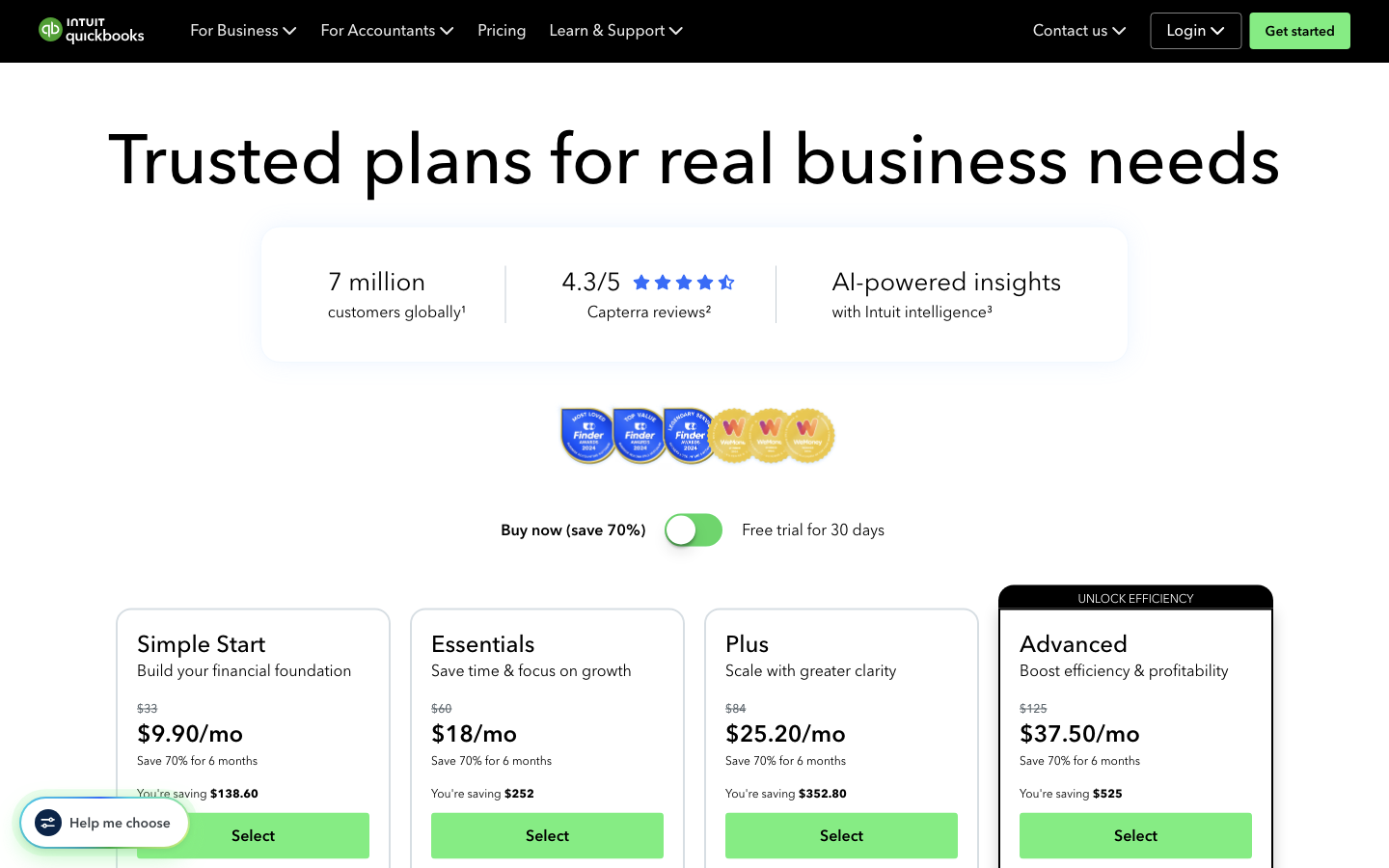
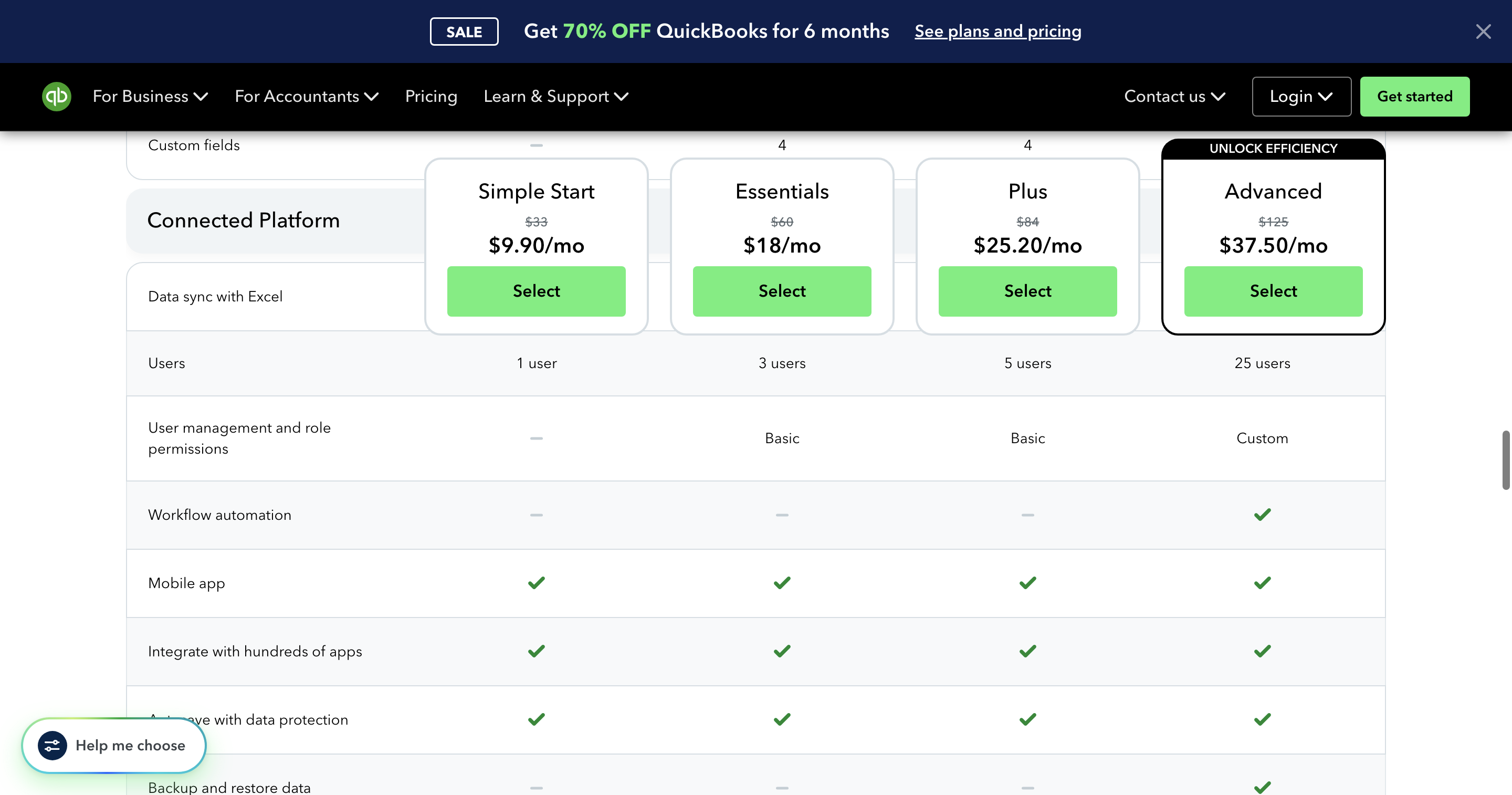
- Information found. Standard monthly figures visible on 11 Sep 2026: Simple Start $33, Essentials $60, Plus $84, Advanced $125. Promotional figures $9.90 / $18 / $25.20 / $37.50 per month.
- The modal states: All prices are in AUD and include GST.
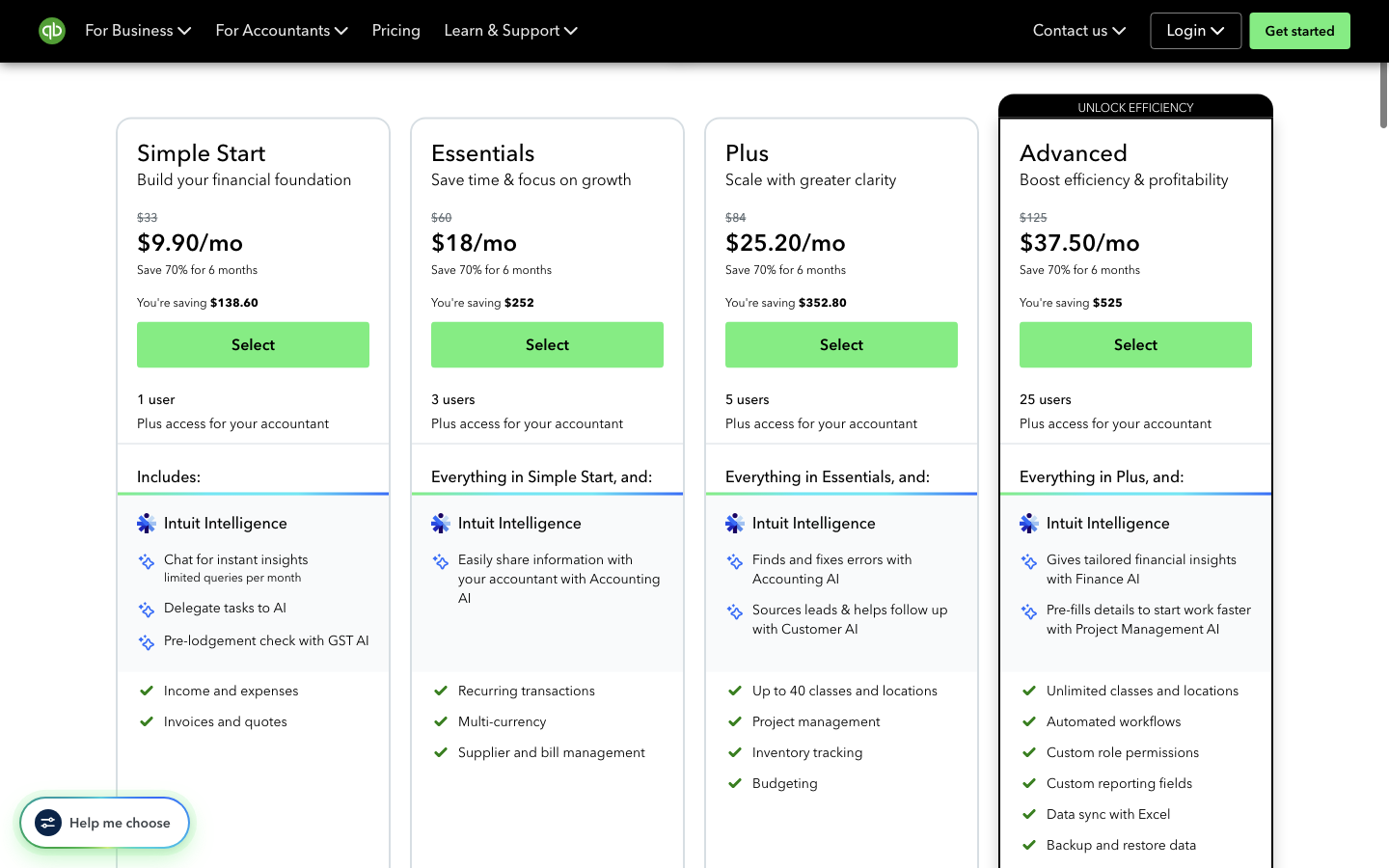
- Users printed on the cards: 1 / 3 / 5 / 25 plus accountant access.
- This is a public-website observation of labelled list prices. It is not a checkout total and not paid-app testing.
Limitations. Public website only. Standard figures are the struck-through monthly amounts on the Buy now (save 70%) cards. No account, trial or purchase. Not a timed usability test. Headless Chrome with HTTP/2 failed (ERR_HTTP2_PROTOCOL_ERROR); observation used a headed browser with HTTP/2 disabled.
Artifacts
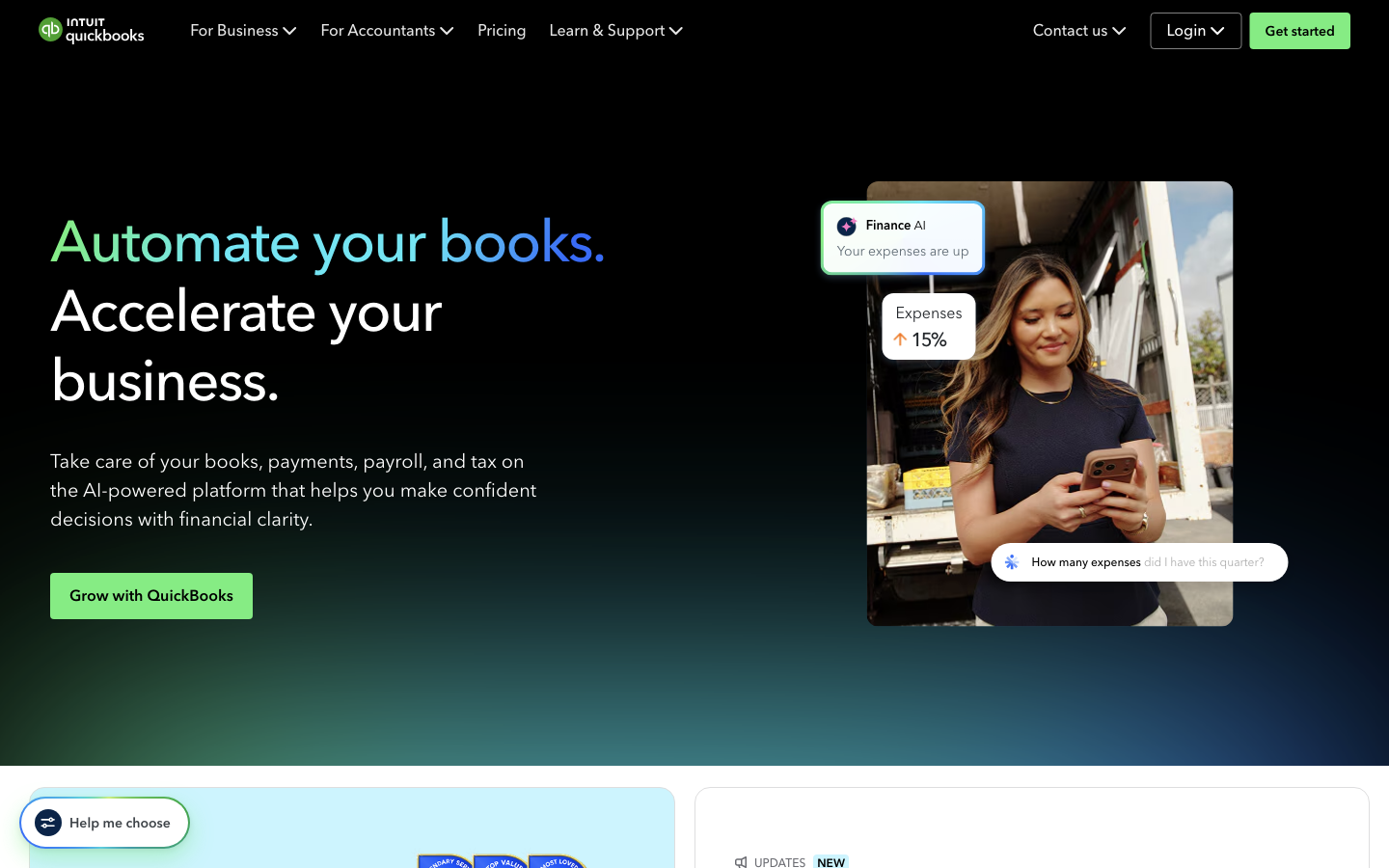
- Official AU homepage (quickbooks.intuit.com/au/) on 11 Sep 2026, Australia/Sydney.
- AU pricing cards: struck-through $33/$60/$84/$125 and promotional $9.90/$18/$25.20/$37.50 per month, Save 70% for 6 months.
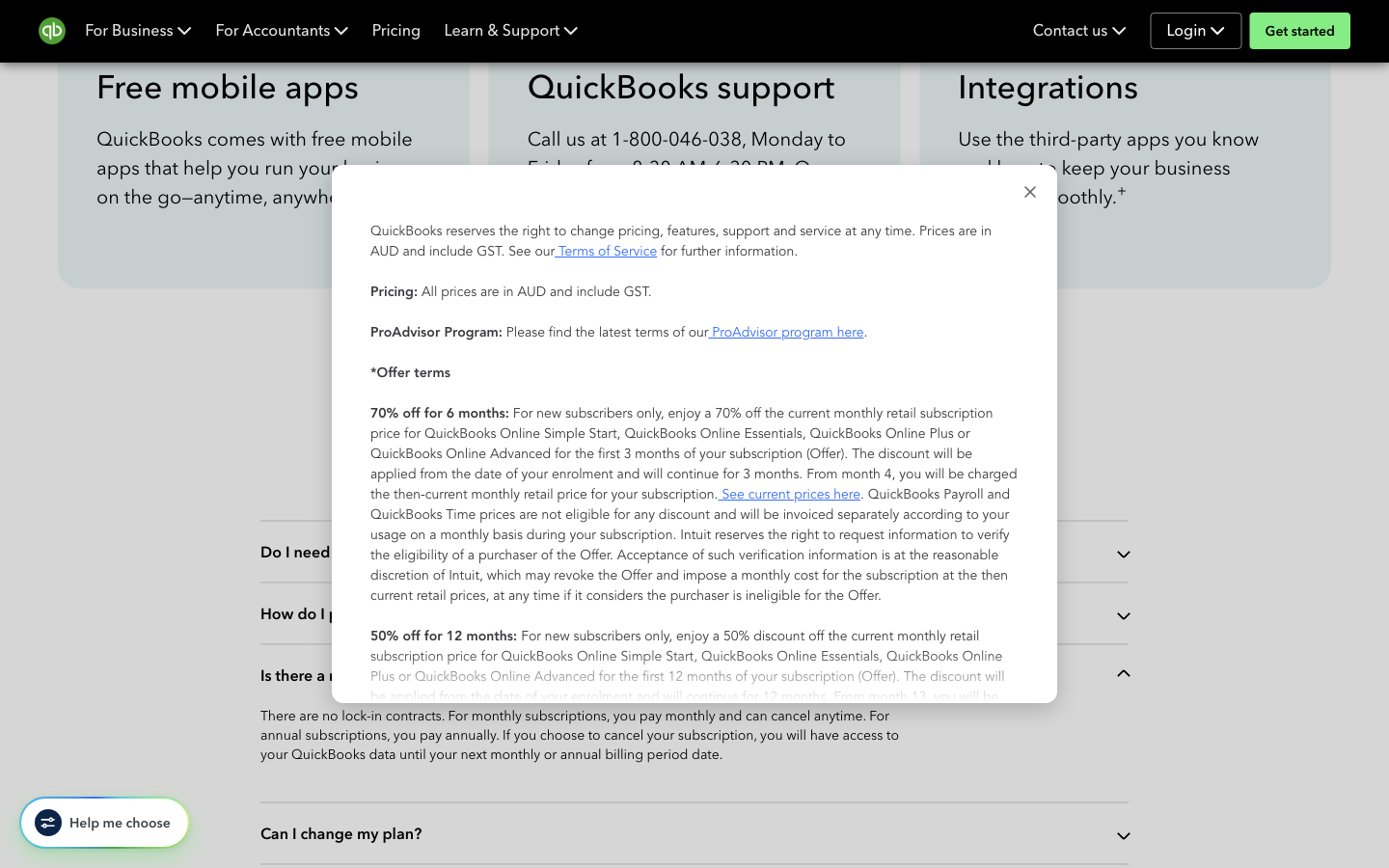
- Important pricing details modal: prices are in AUD and include GST.
- Original findings for the five public-workflow tasks.
Firsthand test
Identify the billed term on public AU pricing pages (monthly vs annual, auto-renewal).
Steps
- On https://quickbooks.intuit.com/au/pricing/, expanded Is there a minimum subscription period?
- Opened Important pricing details and product information and read Annual Billing.
- Opened https://www.intuit.com/legal/terms/en-au/quickbooks/online/ (AU Terms of Service). Did not submit a form.
Outcomes
- Information found. Pricing FAQ: no lock-in contracts. Monthly subscriptions pay monthly and can cancel anytime. Annual subscriptions pay annually. After cancel, access lasts until the next monthly or annual billing period date.
- Offer-terms modal Annual Billing: pay annual, upfront for a discount on current monthly fees; payroll still billed monthly; cancel inside the prepaid 12 months is not refundable but access continues for the remainder; auto-renew on the 12-month anniversary at then-current retail.
- The annual discount amount was not printed as a dollar figure on the pages opened. Checkout was not started.
- This is not a claim that a SoftwareHQ account was billed.
Limitations. Public marketing and legal pages only. The older /au/quickbooks-online/faq/ accordion Can I pay the subscription annually? did not expand in this observation, so billed term is taken from the pricing FAQ and offer-terms modal that were in the viewport. Checkout was not started. In-app billing was not opened.
Firsthand test
Locate renewal and new-customer promotion conditions on the official AU site.
Steps
- Read the 70% off for 6 months banner and plan-card intro vs standard figures on https://quickbooks.intuit.com/au/pricing/.
- Opened Important pricing details and product information on the same URL.
- Did not apply a promo code or start checkout.
Outcomes
- Information found, and conflicting. Cards and banner: 70% off for 6 months. Simple Start You're saving $138.60 equals 6 × ($33 − $9.90).
- The same modal heading is 70% off for 6 months; the body says the 70% applies for the first 3 months and from month 4 the then-current retail price applies. The same modal also lists 50% off for 12 months for new subscribers and 50% off for 3 months for existing subscribers who upgrade.
- QuickBooks Payroll and QuickBooks Time prices are not eligible for those discounts. Free trial: first 30 days of QuickBooks Online and Payroll, any number of employees during the trial.
- This is not a purchase test and not a claim about the offer a specific checkout would apply.
Limitations. Several concurrent public offers were visible on the same pricing URL. Checkout was not started, so which offer a new customer receives, and whether 70% lasts 3 or 6 months, is unresolved.
Firsthand test
Establish the published Australian user and payroll-employee limits for a representative small team.
Steps
- Read user counts on the AU pricing cards and the compare-features Users row.
- Opened https://quickbooks.intuit.com/au/payroll/ and read Standard vs Advanced figures in the page text.
- Expanded How much does QuickBooks payroll software cost?
- Did not click through to signup or add employees.
Outcomes
- Information found. Users: Simple Start 1, Essentials 3, Plus 5, Advanced 25, plus accountant. Pricing FAQ: payroll is an add-on (Standard or Advanced) on all plans; additional fees apply.
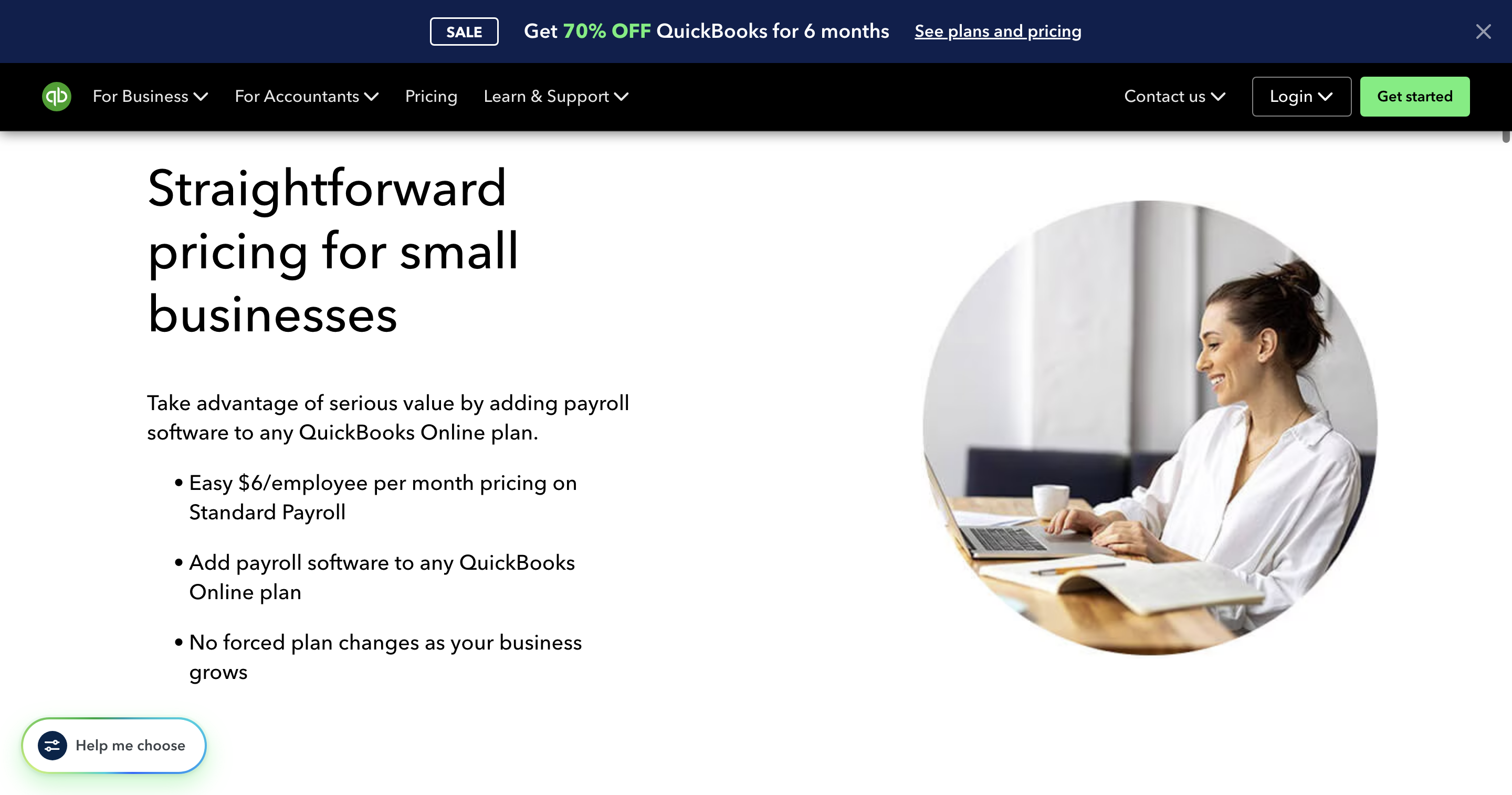
- Payroll page text: Standard $0/mo + $6/employee/mo; Advanced $10/mo + $6/employee/mo. FAQ: Standard $6.00 (including GST) per every active employee; no additional charges or forced plan changes as headcount grows.
- A representative five-person employer matches Plus (5 users) plus payroll at $6×5 (Standard) or $10+$30 (Advanced), not Essentials (3 users). No published employee cap.
- This is vendor table copy, not a live payroll test.
Limitations. Published user caps and per-employee payroll fees only. No file was created and no pay run was processed. QBO users are not the same as payroll employees. The Standard $0/mo and Advanced $10/mo SKU figures were in the page text; the SKU cards sat below the fold of the captured screenshot. Live payroll was not opened.
Firsthand test
Find cancellation-notice and data-export documentation without logging in or starting a trial.
Steps
- Opened the public AU What happens to my data after cancelling article without signing in.
- Followed Cancel your subscription from that page's related links.
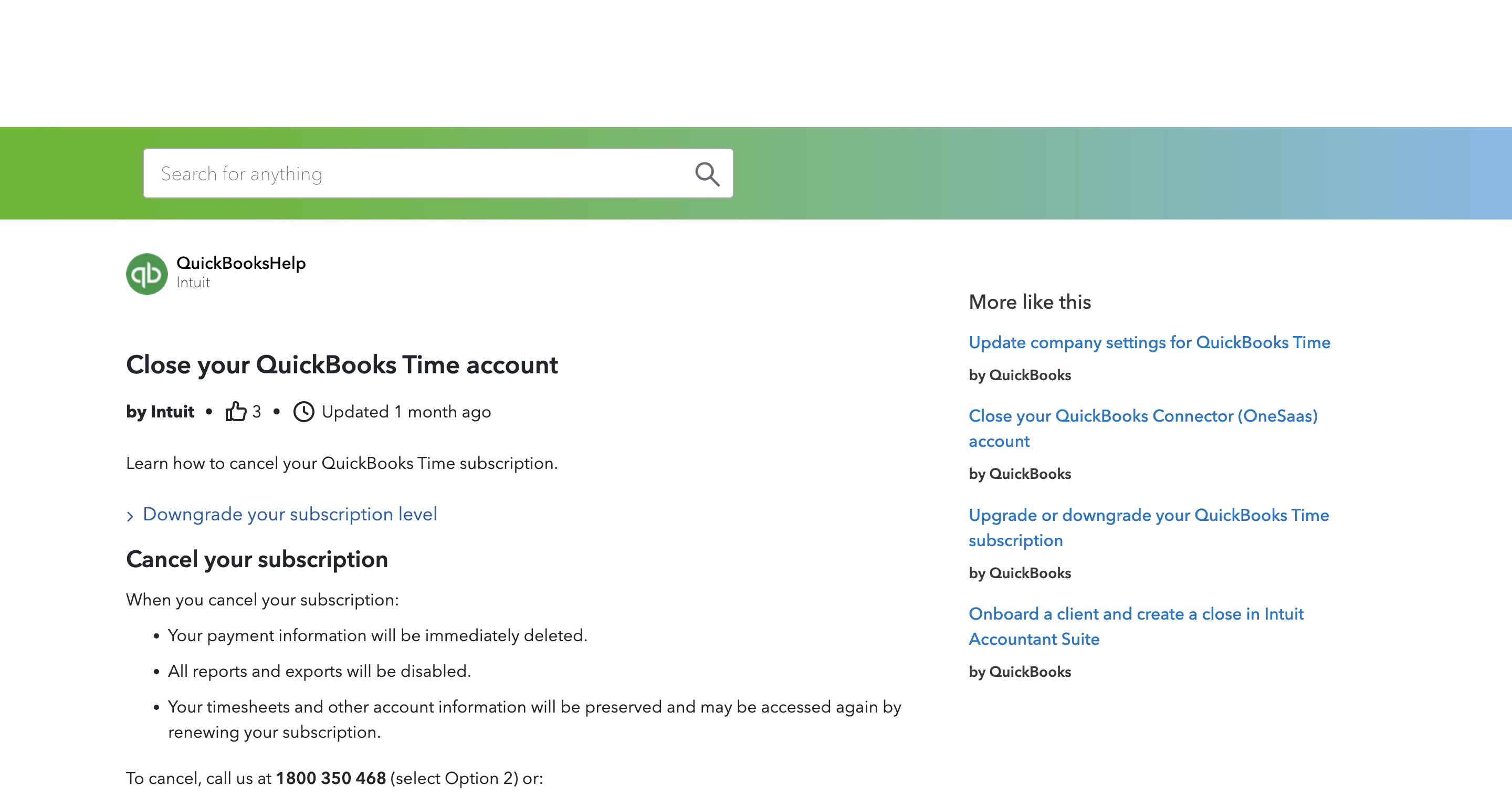
- Opened the same cancel URL directly in a later navigation, which landed on Close your QuickBooks Time account.
- Opened a guessed AU export URL (blank) and the public en-global Export your QuickBooks Online data article without signing in.
- Opened the AU-locale trial signup URL and stopped before typing an email.
Outcomes
- Information found without login, with a URL trap. Cancel article: call 1800 350 468; still prefer to cancel? Call or follow steps based on how you signed up. Purchased-online cancel on that page is phone.
- Data-after-cancel: paid export to Excel or desktop up to a year; trial export within 90 days. The same article also says read-only access for 1 year including after a trial — those two retention claims were not reconciled.
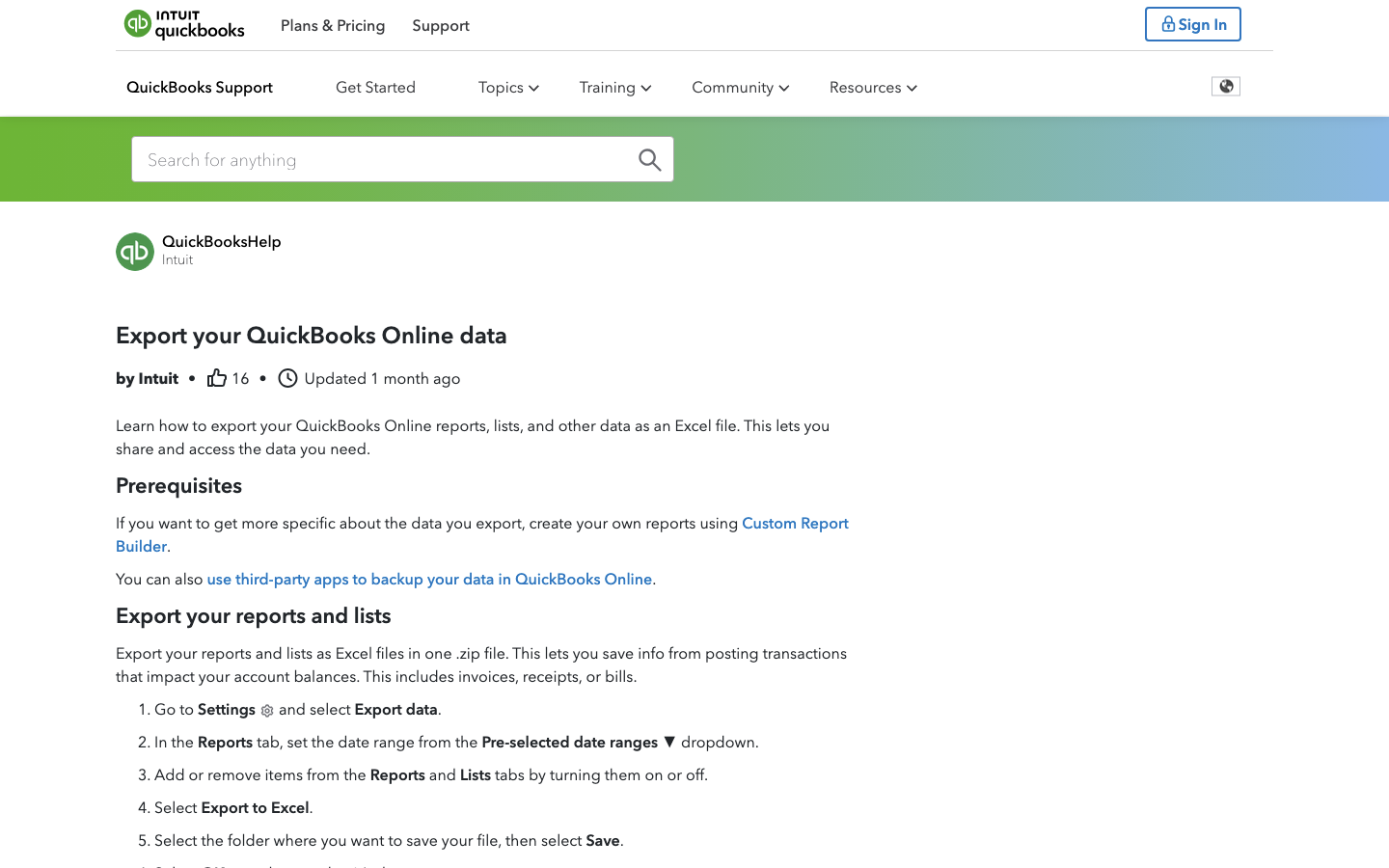
- Export documentation is public on en-global: Settings → Export data → Excel zip of reports and lists. A guessed AU-path URL without an article id was a blank help shell. Actual export was not performed.
- In-app cancel and export controls were not used. This is documentation observation, not a cancellation of a SoftwareHQ organisation.
Limitations. Cancel article opened from a related link on the data-after-cancel page. The same L0MFTXlbw_AU_en_AU URL opened directly later showed QuickBooks Time cancel. AU export URL without an article id was blank; working export steps were on en-global help, not /au/. In-app cancel and export were not used. Signup form was opened; no fields were filled.
Artifacts
- AU Cancel your subscription: call 1800 350 468. Opened from the data-after-cancel related link. Readable without login.
- The same cancel article URL opened directly later landed on Close your QuickBooks Time account.
- AU data-after-cancel article: export up to a year (paid) or 90 days (trial); read-only 1 year. Readable without login.
- en-global Export your QuickBooks Online data: Settings → Export data → Excel zip. Public, not an AU-path article.
- Guessed AU export URL without an article id rendered a blank help shell.
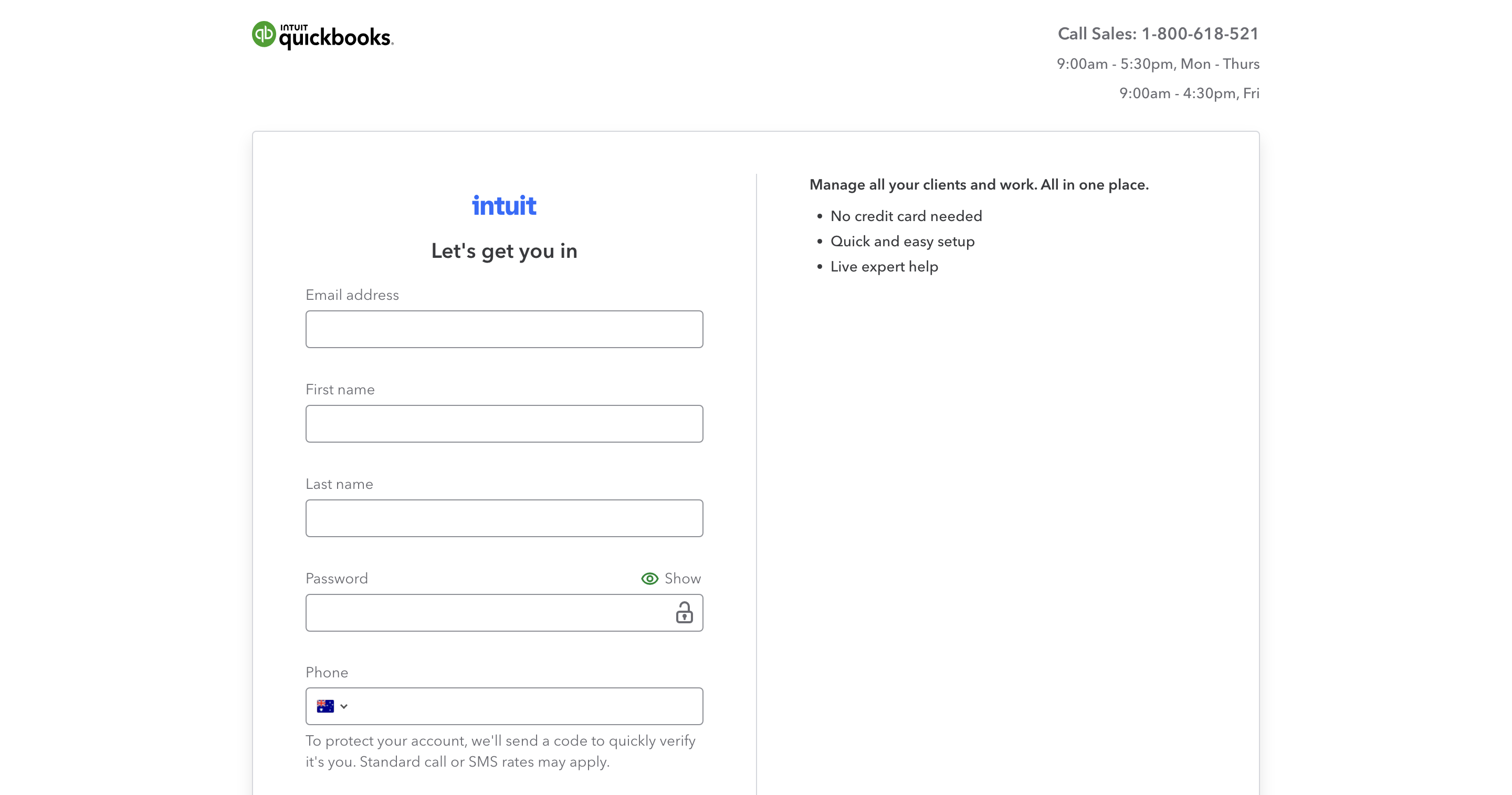
- AU-locale trial signup Let's get you in. Email was not entered.
Firsthand test
Logged-in QuickBooks Online product workflows after registration, trial or purchase.
Limitations. No QuickBooks Online account was created. Registration, trial start, form submit and purchase were not performed. Missing tests stay not_tested.
Original analysis
Illustrative 12- and 24-month recurring totals for QuickBooks Online on three Australian scenarios: sole trader (Simple Start), five-person employer (Plus plus Standard payroll $6×5), growing business needing documented multi-currency (Essentials).
Source prices
- QuickBooks Simple Start monthly standard: AUD $33.00 inc. GST (checked 2026-09-08)
- QuickBooks Essentials monthly standard: AUD $60.00 inc. GST (checked 2026-09-08)
- QuickBooks Plus monthly standard: AUD $84.00 inc. GST (checked 2026-09-08)
- QuickBooks Advanced monthly standard: AUD $125.00 inc. GST (checked 2026-09-08)
- QuickBooks Payroll Standard per active employee monthly: AUD $6.00 inc. GST (checked 2026-09-11)
Assumptions
- AUD including GST.
- Monthly billed standard prices, not the 70% intro figures.
- Sole trader: Simple Start; payroll omitted.
- Five-person employer: Plus (5 users) plus Standard payroll $6 × 5. Essentials is 3 users.
- Growing multi-currency: Essentials prints multi-currency. Plus multi-currency is unknown on the sourced row.
- Payroll Standard base is $0/month in sourced copy.
Formula. recurring_n_cents = (plan_monthly_cents + payroll_addon_cents_per_employee * employees_paid) * n; introductory_n_cents = unknown
Limitations. Monthly listed standard prices. Cards advertised 70% off 6 months while offer-terms body says 3 months and lists 50% off 12 months; intro totals unknown. Annual discount amount was not printed. Plus does not independently list multi-currency on the sourced row. Not a product ranking.


Sources
Public pages recorded when this review was compiled. They are not a checklist that every claim was verified, and they are not evidence of hands-on product testing.
- Quickbooks pricing
- Quickbooks security
- Quickbooks Open Banking
- Quickbooks Set Up GST
- Quickbooks Quickbooks Price Changes
- Quickbooks Au
- Quickbooks Payroll
- Quickbooks L0mftxlbw Au En Au
- Quickbooks L6qdpbe1b Au En Au
- Quickbooks L1xledrlp Row En
- Intuit Online
Bank Feed Compatibility
QuickBooks Online supports automatic bank feeds from expanding Australian financial institutions.
| Bank | Feed Type | Status |
|---|---|---|
| Commonwealth Bank | Direct | Active |
| Westpac | Direct | Active |
| ANZ | Direct | Active |
| NAB | Direct | Active |
QuickBooks Online Alternatives
If QuickBooks Online doesn’t quite fit your needs, consider these alternatives for Australian businesses:
- Xero — Australia's most popular cloud accounting platform. From $37/mo inc GST.
- MYOB — Australia's original business management platform. From $35/mo inc GST.
- FreshBooks — Invoicing-first accounting for freelancers and sole traders. From $29/mo inc GST.
- Zoho Books — Affordable cloud accounting with a genuinely free plan. Free plan available.
- Reckon One — Australian-built cloud accounting with flat-rate payroll. From $24/mo inc GST.
Cost comparison
Original listed-price analysis for QuickBooks Online in three Australian scenarios. Not a review score.
Related Comparisons
Migration Guides
Step-by-step switching guides involving QuickBooks Online for Australian businesses.